 Hakiili Hakiili
The AI platform for Audit, Risk & Financial Intelligence across the WAEMU/OHADA region. Deterministic, audit-grade analytics that are transparent, explainable and fully traceable — every conclusion backed by evidence.
Illustrative preview — your data, on your machine.
From a single trial balance to enterprise-wide oversight — audit, risk, intelligence and forensics, all backed by evidence.
Turn a trial balance or general ledger into an audit-ready analysis in minutes: financial statements, materiality, lead schedules by cycle, SYSCOHADA presentation compliance, a coherence score, and findings ranked by severity and monetary exposure — every figure traceable to the accounting data.
Run the complete internal-audit lifecycle: enterprise risk mapping on a 5×5 matrix, audit planning, continuous red-flag monitoring, 5C findings, corrective action plans, follow-up, and a signed audit dossier — for stronger governance, accountability and compliance.
Ask in plain language — “Quels comptes présentent les plus fortes anomalies ?”, “Quels fournisseurs ont reçu des paiements inhabituels ?”, “Quels projets dépassent leur budget ?” Hakiili understands your accounting structure and answers with supporting evidence — no SQL, no guesswork.
Give leadership a real-time view of financial performance, audit progress, key risks, compliance status, outstanding findings and control effectiveness — with portfolio-wide analytics across every entity and engagement.
Go beyond traditional auditing with built-in forensics — surface risks that hide inside spreadsheets and ledgers, and strengthen organizational integrity.
Des jours d'attente pour de simples rapports.
Des semaines pour préparer les états financiers et vérifier manuellement les normes SYSCOHADA.
Les risques, anomalies et indicateurs de fraude restent cachés dans les bases de données.
A real taste of Hakiili, right here — pick a question (or type your own) and watch a grounded answer build in real time.
One secure platform: ask, report, audit, and detect — with trust built in.
Ask in plain French or English; get trusted answers, dashboards, and grounded executive summaries in seconds — no SQL to learn.
Turn a trial balance into SYSCOHADA / SYCEBNL-compliant financial statements automatically — balance sheet, income statement, cash flow, notes.
Deterministic audit checks, working papers, materiality, sampling and a defensible opinion — re-verified automatically on every new import.
Surface outliers, reconciliation breaks, duplicates and fraud indicators hidden in your ledgers — flagged with a drill-down to the source rows.
Board-ready PDF, PowerPoint and Word reports — fully branded, with KPIs, lineage and a written narrative — generated in minutes.
Runs entirely on your machine or server with a local model. Your data never leaves your infrastructure — built for where cloud BI can't go.

Hakiili is local-first. The analytics engine and your database run on your own hardware. When deployed with a local model, no business data leaves your infrastructure — the only outbound call is a signed license verification. That's what makes it usable where cloud BI cannot go.

A real question, a real chart, a grounded summary — every figure traceable to its query, with a full audit trail your compliance team can review.
Illustrative example with sample data.
Install the desktop app (or run it on your server), connect a local model, and point it at your data — no cloud account required.
Upload a trial balance or file (or connect a database). Hakiili cleans it, detects roles, and asks before applying any fix.
Ask in plain language; produce SYSCOHADA / SYCEBNL statements, run audit checks, catch anomalies, and export board-ready reports — privately.
One product, on your terms — never as a multi-tenant cloud holding your data.
A signed installer for macOS and Windows with the engine bundled in. Install, add a local model, done — no IT required.
Run the full stack on your own server with a single command. Your infrastructure, your control, durable storage.
Deploy in your own cloud tenancy when policy allows, keeping data inside your perimeter.
From local microfinance to large banks, Hakiili empowers teams across industries.
Start free, or unlock teams and scale. Your data stays on your machine on every plan.
Copy or download your key, then paste it into the desktop app under Settings → License to activate.
Every number from real data. Every recommendation explainable. No black boxes, no fabricated metrics. Book a 30-minute walkthrough — on your data, on your infrastructure.
Install the desktop app, connect a local model, and keep every byte on your computer.
Signed installers are coming soon — contact us for early access.
Requires macOS 12+ or Windows 10+, plus Ollama with a local model for the on-device AI. A license key activates your workspace.
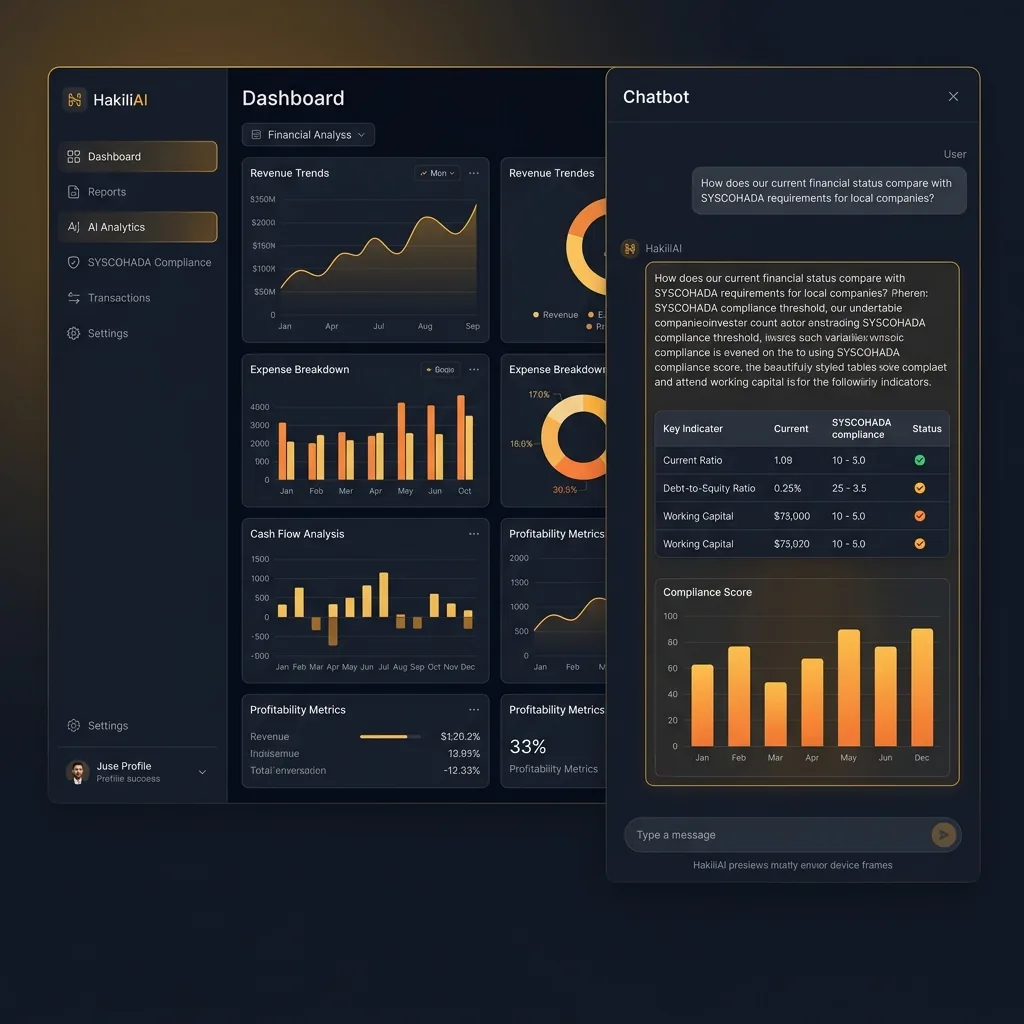
Executive dashboard and private chatbot preview.